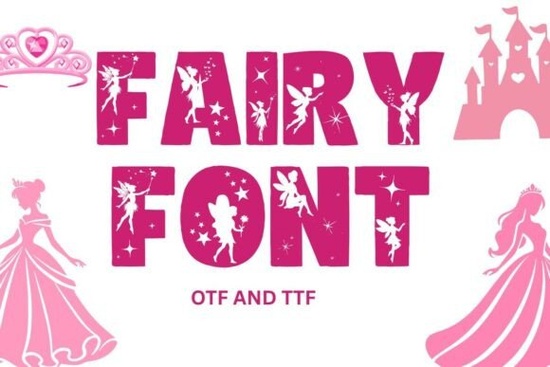
If you've been searching for a whimsical, storybook-style typeface for your next project, Fairy Font might be exactly what you need. It's a fantasy-inspired decorative font with uppercase A–Z letters and 0–9 numbers, designed for bold titles, playful headers, and creative designs that need a touch of magic. Whether you're making party invitations, POD listings, or classroom decor, this typeface brings a charming fairy-tale look without any fuss.
What does Fairy Font actually look like?
Think of enchanted lettering you'd find in a children's storybook that's the vibe here. The letterforms have soft, fantasy-inspired curves and decorative details that give each character a magical personality. It's not overly ornate, so it stays readable even at smaller sizes for headers and subheadings.
The font uses crisp vector outlines, which means it prints cleanly on everything from home inkjets to professional print setups. It holds up well on both light and dark backgrounds, so you're not limited in your color choices.
If you've used other fantasy-style typefaces before like Circle Font or Daisyfolk Font you'll notice Fairy Font leans more heavily into the storybook aesthetic. It's less geometric and more organic in its design.
What can you make with a whimsical typeface like this?
This font works well for a surprisingly wide range of projects. Here are some popular uses from crafters and small business owners:
- Birthday party invitations and baby shower stationery
- T-shirt designs for print-on-demand shops
- SVG cut files for Cricut and Silhouette projects
- Wall art prints and nursery decor
- Social media graphics and blog headers
- Scrapbook titles and journaling embellishments
- Book covers for children's stories or fantasy genres
It's especially popular for kids' birthday shirts and themed party supplies. If you sell on Etsy or run a small craft business, a font like this fills a real gap in your toolkit. You can pair it with other fantasy-style decorative fonts to build a cohesive design theme.
Which design software does it work with?
One of the practical strengths of this font is its wide compatibility. You can use it in:
- Canva upload it as a custom font (Pro account required)
- Cricut Design Space install it on your computer and it shows up automatically
- Silhouette Studio Business Edition is recommended for custom font support
- Adobe Photoshop and Illustrator
- Affinity Designer
- Procreate (via compatible font apps on iPad)
Installation is straightforward on both Windows and Mac. Once installed, the font appears in your program's font dropdown just like any other typeface you'd use.
Are there any limitations I should know about?
Yes and this is important before you buy. Fairy Font is uppercase letters and numbers only. It does not include:
- Lowercase letters (a–z)
- Punctuation marks
- Special characters or accented letters
For most headline and title-based projects, this won't be a problem. But if you need to type out full sentences with mixed case or special symbols, you'll want to pair it with a complementary body font. Something like a clean sans-serif or a simple rounded typeface works nicely alongside it.
How does it compare to other decorative fonts?
Decorative fonts cover a wide range of styles. If you're browsing options, it helps to understand what sets each one apart:
- Fairy Font whimsical, storybook-inspired fantasy lettering
- Cross Stitch Embroidery Font textured, crafty look that mimics stitched lettering
- Soccer Font bold, sporty lettering for athletic designs
Each serves a different niche. If your project calls for a magical or fairy-tale atmosphere, this one is a strong fit. For embroidery or cross-stitch-style decorative projects, the stitched typeface might work better. And for sports teams or active lifestyle designs, a bold athletic typeface is more appropriate.
You can also explore boho and folk-inspired font styles if your aesthetic leans more earthy or botanical.
Quick checklist before you start designing
- ✅ Confirm your project only needs uppercase letters and numbers
- ✅ Choose a complementary body font for any lowercase or paragraph text
- ✅ Test the font on your intended background color (it works on both light and dark)
- ✅ If using Canva, make sure you have a Pro account for custom font uploads
- ✅ For Silhouette Studio, use the Business Edition to access custom fonts
- ✅ Check the font's print quality by doing a small test print before large runs
Tip: Try combining Fairy Font with a simple serif or sans-serif for your subtitle or body text. The contrast keeps your design balanced and lets the whimsical lettering stand out without overwhelming the layout. Start with a small project like a single birthday card or social media post to get a feel for how the font looks in action before committing to a larger design.
Get Started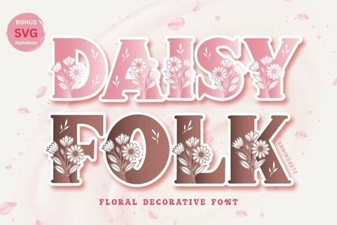 Daisyfolk Font: a Charming Hand-Lettered Typeface for Creatives
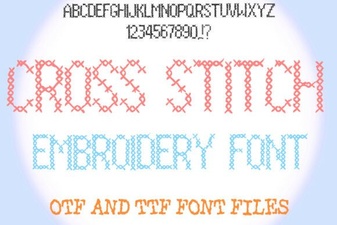 Beautiful Cross Stitch Fonts for Embroidery Projects
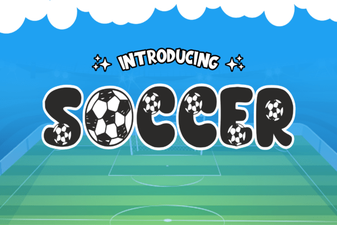 Soccer Font Collection for Bold Sports Designs
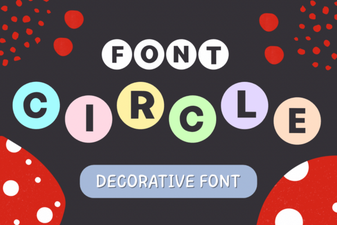 Exploring Circular Typography for Modern Designs
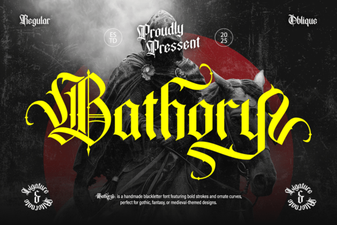 Bathory Font – Bold Blackletter Gothic Typeface Download
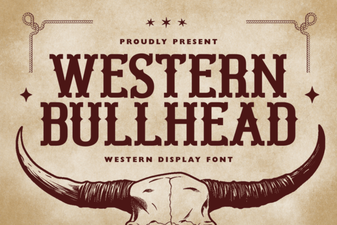 Western Bullhead Font - Free Display Font Download